Batch/Zip Download Tutorial
You can save photos individually as explained on each page where on the upper right is a download icon to save the fullest resolution.
However, this method isn't ideal for concert or larger folders. Yes, there is a way to download full zips from the gallery with everything inside. I opted to make a blank user account because unregistered users cannot use plugins. (Despite me changing it to be allowed...)
You need to use my login portal, so click here. You didn't even know this page existed! I hid it from the index so nobody could bother it but that's the direct link needed. You need to always use this link to login.
Username: ramm
Password: paul
You will not be able to do anything in my gallery or edit the password. It's a puppet username that doesn't do anything.
Go to a gallery folder you want to download in full. The zip function will be at the upper right corner. Near the sorting options now. It will have a little cardboard box icon that says ZIP above it.
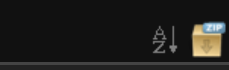
After you press this, it will confirm you want to download this file. It will automatically go to the downloads folder as specified by your browser. Press OK.
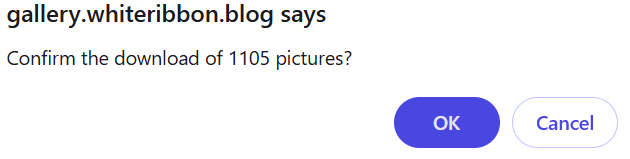
Then please give my server a short moment to process the request in PHP. The bigger the folder size, the more time it takes to run the script. When it completes this check, it'll automatically begin your zip and give you a green bar confirmation.

When it's completed, it will say "part one".
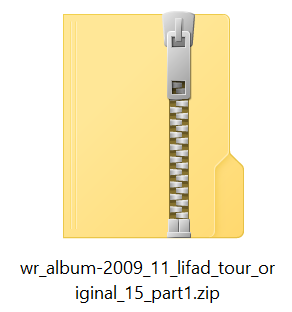
Ignore that. No idea why it does that but there's no second part. You may now open your .zip file with relevant software and extract. If you don't have one (most everyone does but just in case), a very simple free option I use is 7-Zip.
Restrictions: up to 4,000 images at once per folder. maximum folder size is 900MB. The file will delete from the server with 12 hours. So if you pause the download, you need to restart it within 12 hours. Or you need to redo the process from the start.
The biggest folder on the gallery is 2016-17 tour at 880MB. That's why I restricted to 900MB. The biggest folder size should never exceed 4k photos anyway. Do not download the entire scans folder at once. Use the sub-folders within the scans folder individually. The files are simply too big for a batch download (1.5GB) I don't want massive GB zips sitting on my server for 12 hours.
If you have any issues or further dilemma or if the thing stops working, please contact me.
